🔍 2.1 Discovering Events & Lineups
Find classes, events, and experiences that match your goals
Overview
Sweatpals makes it easy to discover new experiences through search, filters, and curated Lineups — themed collections of events picked by the Sweatpals team.
Using Search & Filters
- Use the Search icon to find an activity, location, or host name.
- You can also search for an Event, Community or Account, and apply filters by: - all events, following events, or online events; - time range; - activity type; - cost. - sort by date and time, and distance.
- Tap an event card to view full details.
Filter | Description |
|---|---|
Date Range | Choose specific days or weekends |
Category | Select fitness type (Yoga, Run, HIIT, Dance, etc.) |
Price | Filter by free or paid experiences |
Community | Show events from communities you follow |
Understanding Lineups
Lineups are curated collections of events that make discovery easier.
Lineup Type | Description |
|---|---|
City Lineups (Sweat Schedule) | Local experiences happening in your area |
Editor Picks | Featured events from Sweatpals Pro hosts |
Thematic Lineups | Seasonal or holiday collections curated by the Sweatpals team |
Experience Map
You can look for events and classes using the new experience map, available in our discover page.
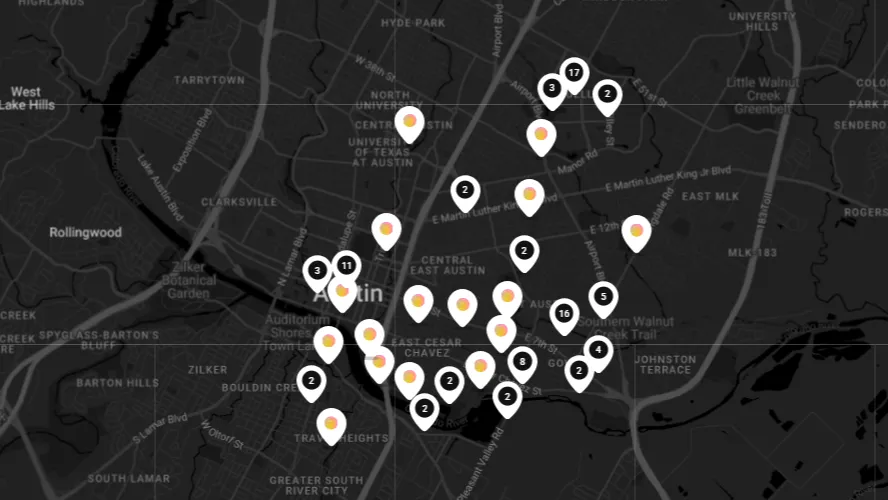
While looking for events in the desktop version of Sweatpals, you can click on the Map button to zoom out and look at where events are being hosted with a full map.

Experiences will show up as pins in the map, and details on each experience are visible in the sidebar.
Saving & Following
- Tap the 💾 Save button on any event to bookmark it.
- Saved events appear under Profile → Saved Events.
- Follow the host community to receive updates for future sessions.