2.5 Day Passes
A day pass is a single drop-in entry to a gym or space during a set time window, like 6 to 11 AM. There's no class or event to book. You buy the pass, get a QR code and show it at the front desk.
Each host sets their own windows, prices and cancellation policy, so these can change from one gym to another.
Find a day pass
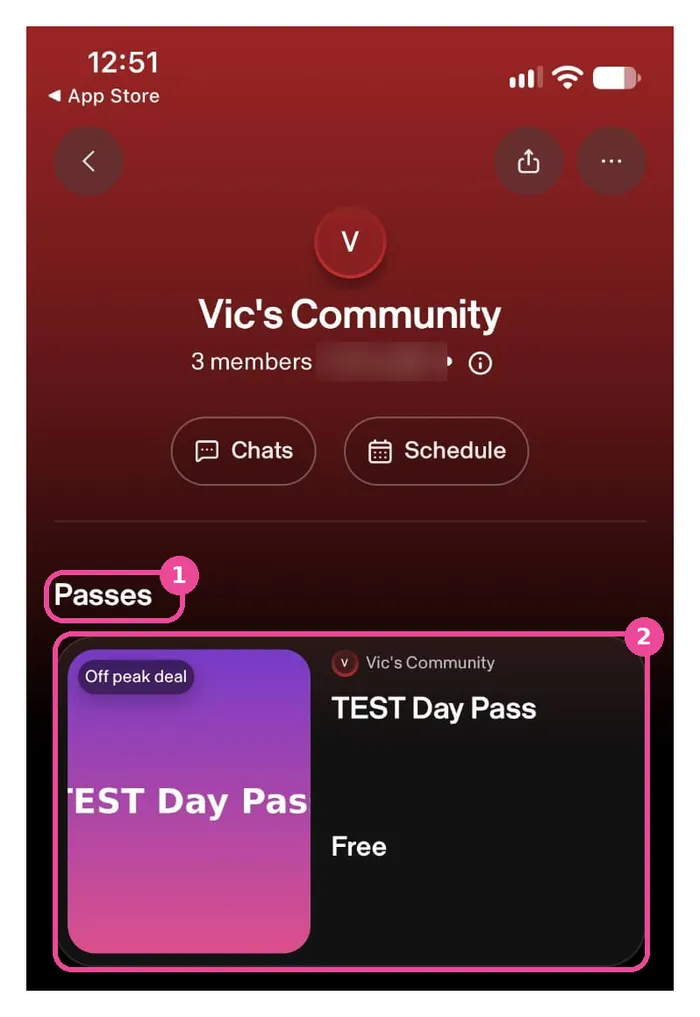
In the app: open the gym's community page and scroll to the Passes section. Tap a pass to open it.
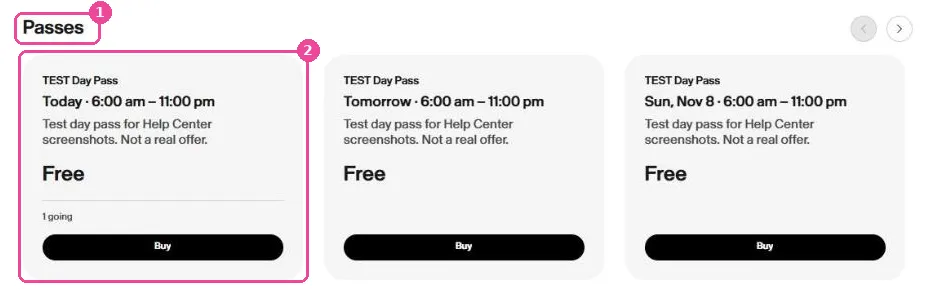
On the web: open the gym's community page on sweatpals.com and scroll to Passes. Each card shows the date, the window and the price.
Hosts can also share a direct link to their day pass page.
Buy a day pass
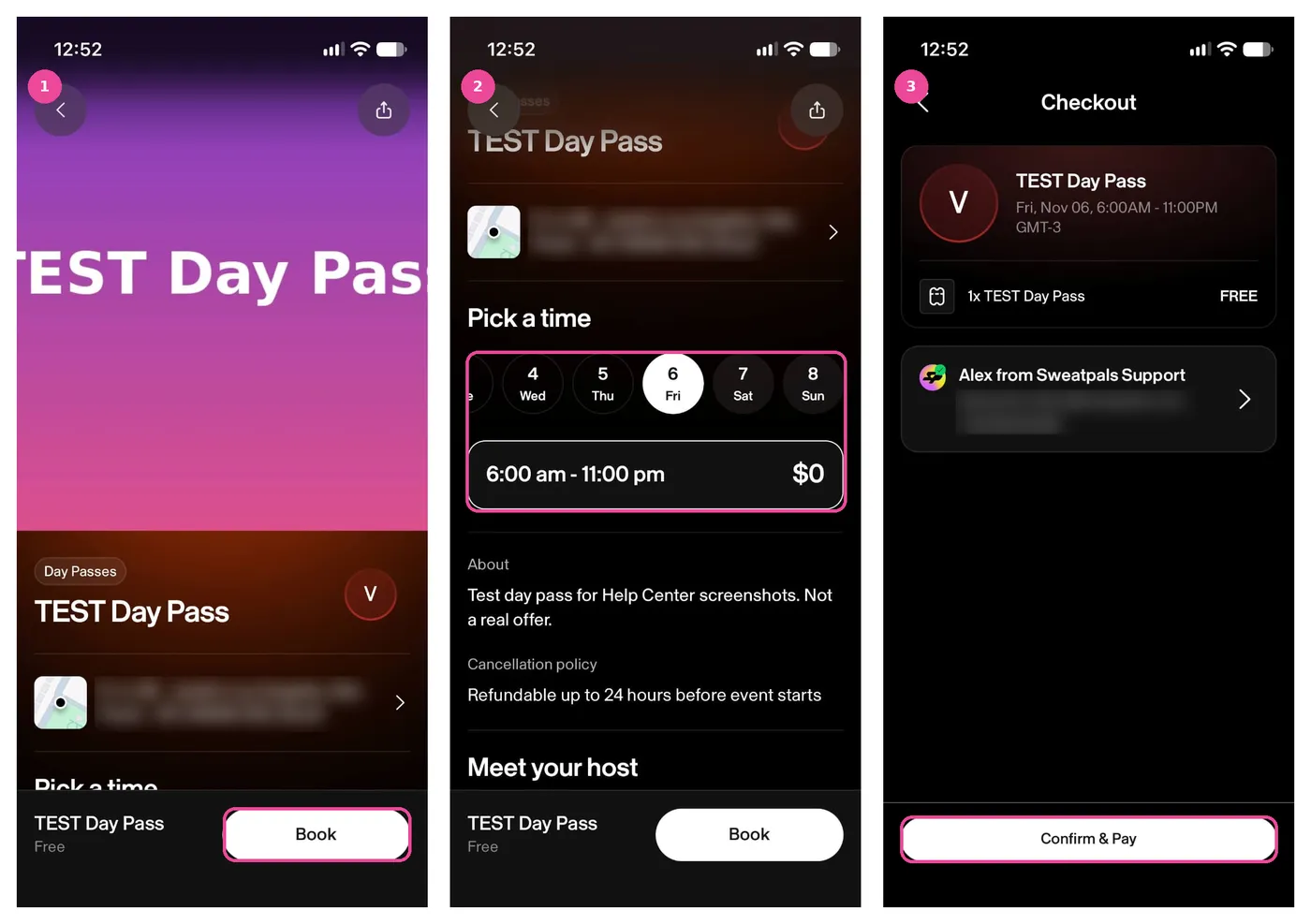
- Open the day pass to see the photos, the details, the location and the host's cancellation policy, then tap Book.
- Under Pick a time, choose a date and then an entry window.
- Check the order summary and your details, then tap Confirm & Pay.
On the web, the steps are the same: pick a date and a window, click Book and complete the checkout.
If you have a gift card for that community, you can use it on day passes too. See 3.5 Using Your Gift Cards.
Your pass and QR code
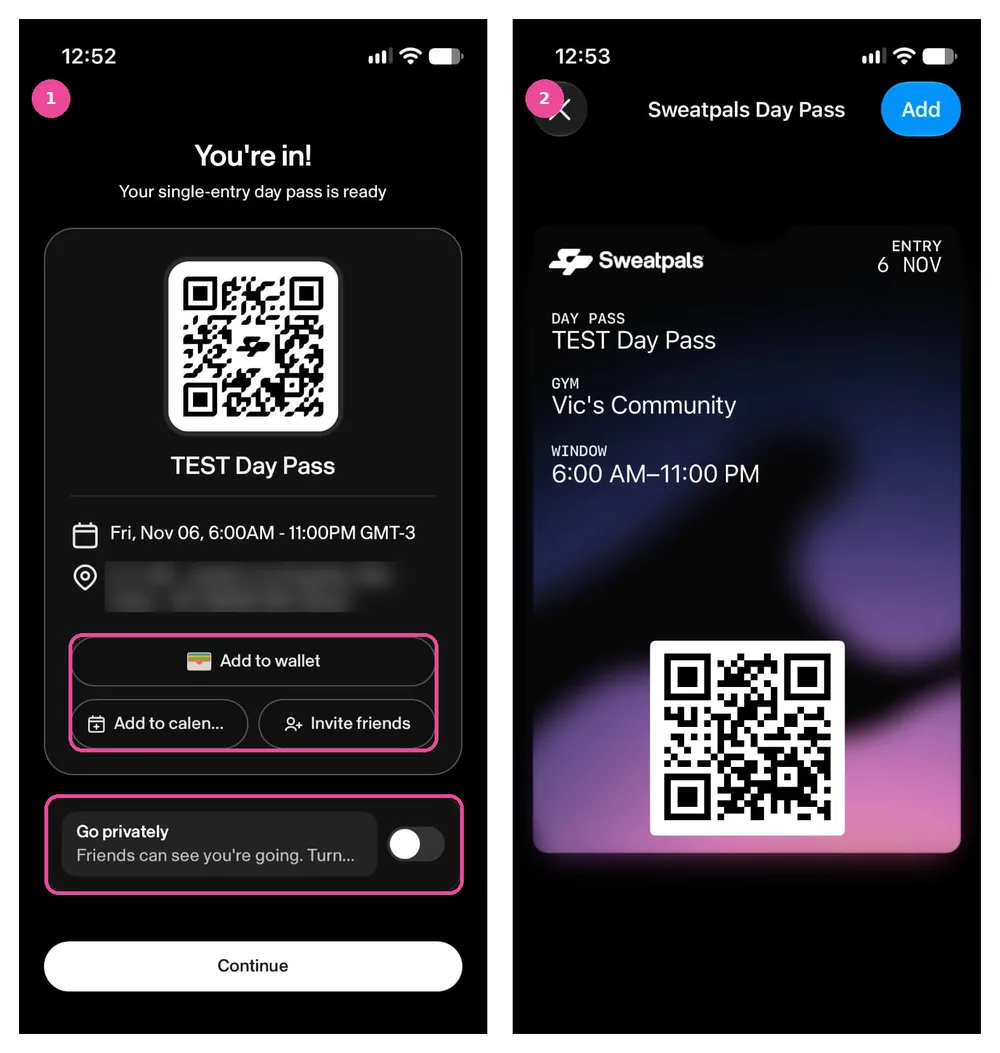
Right after you buy, you'll see You're in! with your QR code, the date, the window and the location. From there you can:
- Add to wallet to save the pass in Apple Wallet (Google Wallet isn't available yet)
- Add to calendar
- Invite friends (app)
- Download PDF (web)
Friends can see you're going. If you'd rather they didn't, turn on Go privately.
On the web, you'll see the same pass on the Your day pass screen.
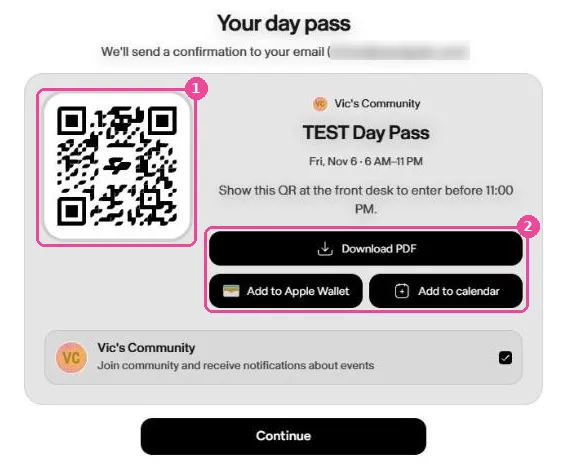
You'll also get a confirmation email with a My Pass link.
Find your pass later
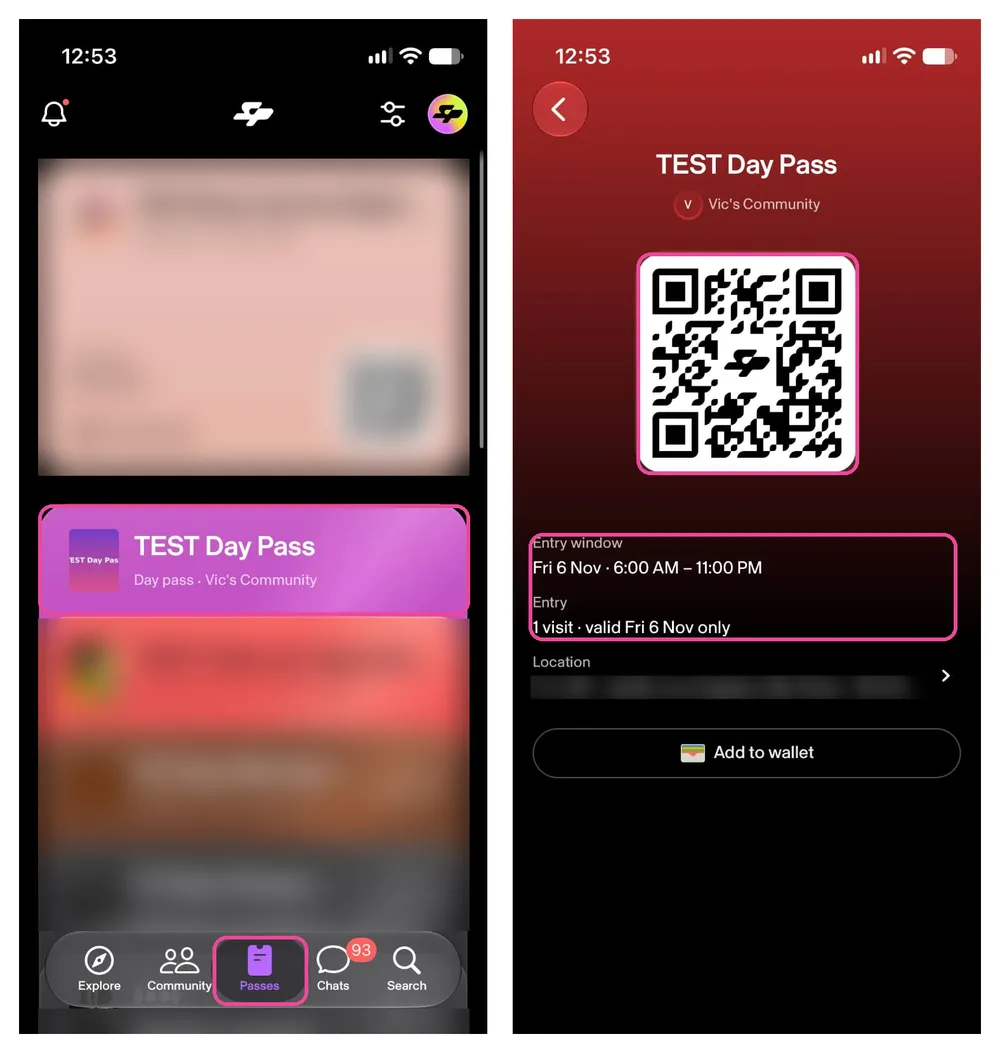
In the app: tap Passes in the bottom menu and open the day pass. You'll see the QR code, the entry window, the number of visits and the location.
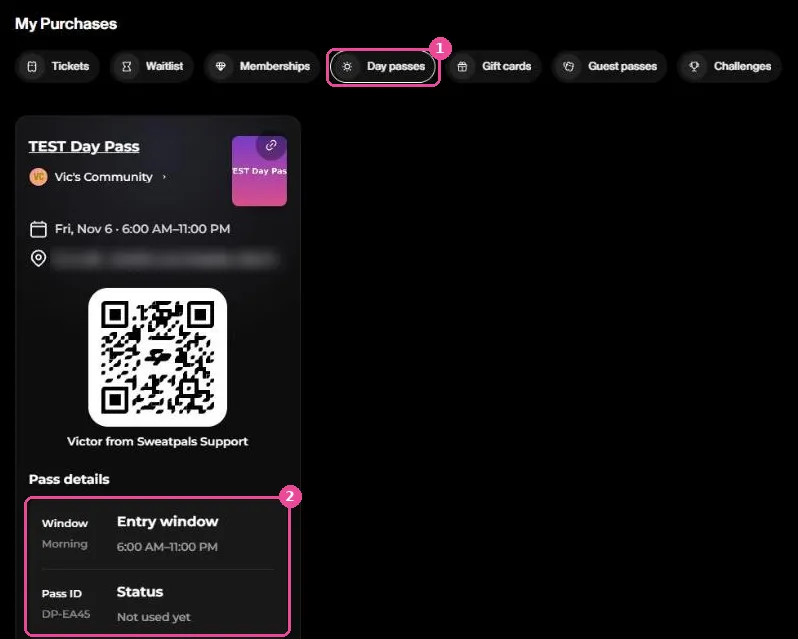
On the web: go to My Purchases and open the Day passes tab. Before you check in, the status shows Not used yet.
On the web pass you can also pick When are you heading in? so friends know when to meet you. It's optional, and you can still arrive any time during your window.
After you check in or your window ends
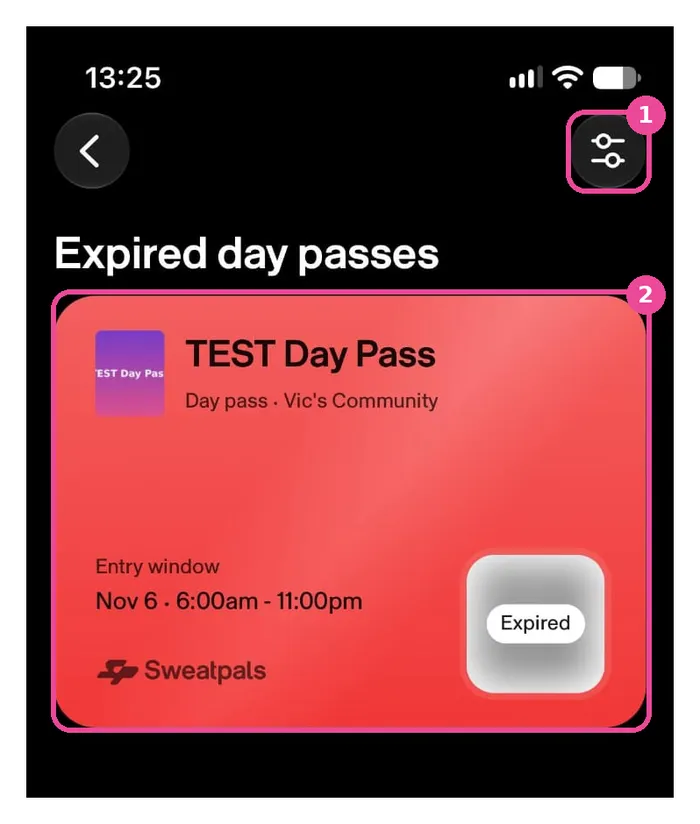
One pass is good for one entry. Once you've checked in, or once your window ends, the pass leaves your active passes. In the app, use the filter at the top of Passes to see your Expired day passes.
At the front desk
- Show your QR code at the front desk. Staff scan it to check you in.
- You can't re-enter on the same pass.
- Times always show in the gym's timezone.
- Running late? If you arrive after your window, it's up to the gym whether to let you in or charge the difference.
- If you arrive during a cheaper window than the one you paid for, the difference isn't refunded.
Cancellations and refunds
You can see the host's cancellation policy on the day pass page before you buy. Pals can't cancel a day pass themselves. To cancel, contact the host. If their policy allows it, they can refund you from their dashboard.
FAQ
I paid more than my friend for the same window. Why?
Some gyms use dynamic pricing, so the price can change with demand. You pay the price shown when you buy, and it never changes after that.
Can I use one pass twice in the same day?
No. One pass is good for one entry.
My QR code says expired.
Your pass ended before you checked in. By default, a pass expires at the end of the window you bought. Check the window on your pass and the gym's timezone.
Where's my pass?
In the app, tap Passes. On the web, go to My Purchases and open Day passes. You can also use the My Pass link in your confirmation email.