3.5 Using Your Gift Cards
See your balance, find your code and book with your gift cards
Overview
Gift cards you receive on Sweatpals are saved to your account, so you don't need to dig through your emails to find the code. You can see all of them in one place and check how much you have left at any time.
From your gift cards page you can:
- Check your balance at any time
- Copy your gift card code in one click
- See your usage history: where and when you used the card, and how much you spent
- Book new experiences from the same community straight from the gift card
Finding Your Gift Cards
- Go to attendee.sweatpals.com and log in.
- Open your Profile.
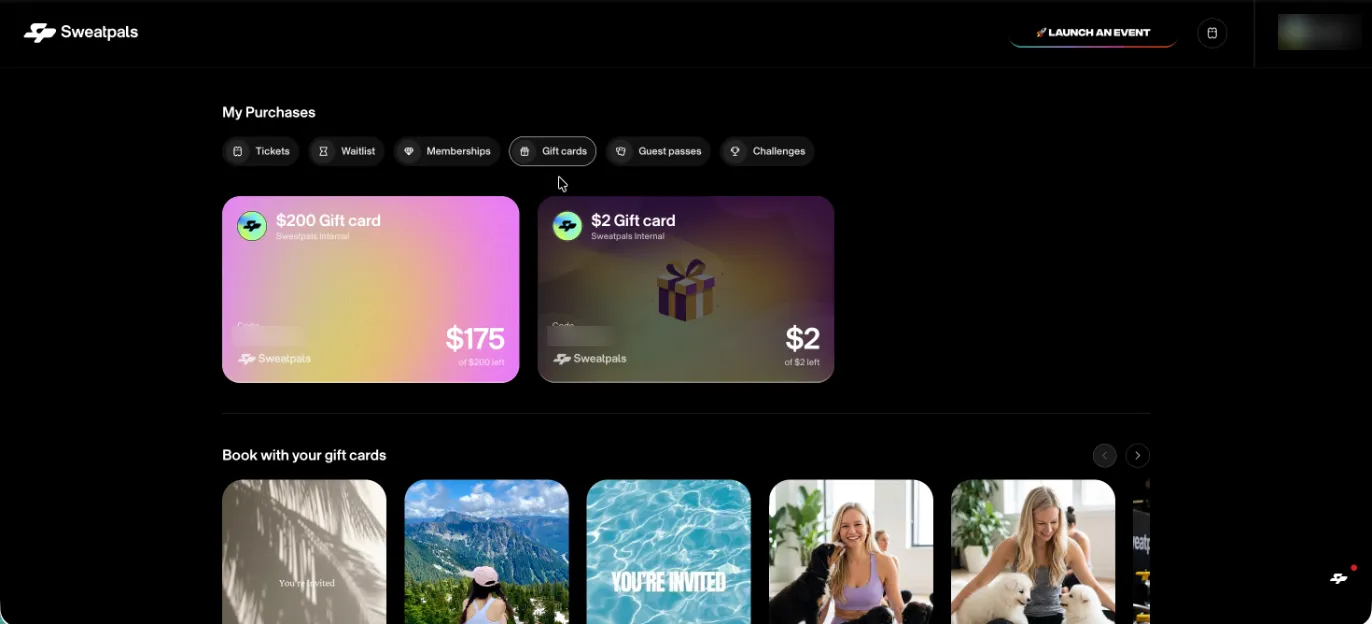
- Go to My Purchases > Gift cards.
💡 Make sure you're logged in with the same email address the gift card was sent to. Gift cards only show up on the account that matches that email.
Your Gift Cards List
Each gift card shows:
- The card name (for example, "$200 Gift card") and the community it's from
- Your gift card code
- Your remaining balance as the big number, with the original amount below it (for example, $175 of $200 left)
Below your cards, Book with your gift cards shows upcoming experiences you can use your balance on.
Gift Card Details
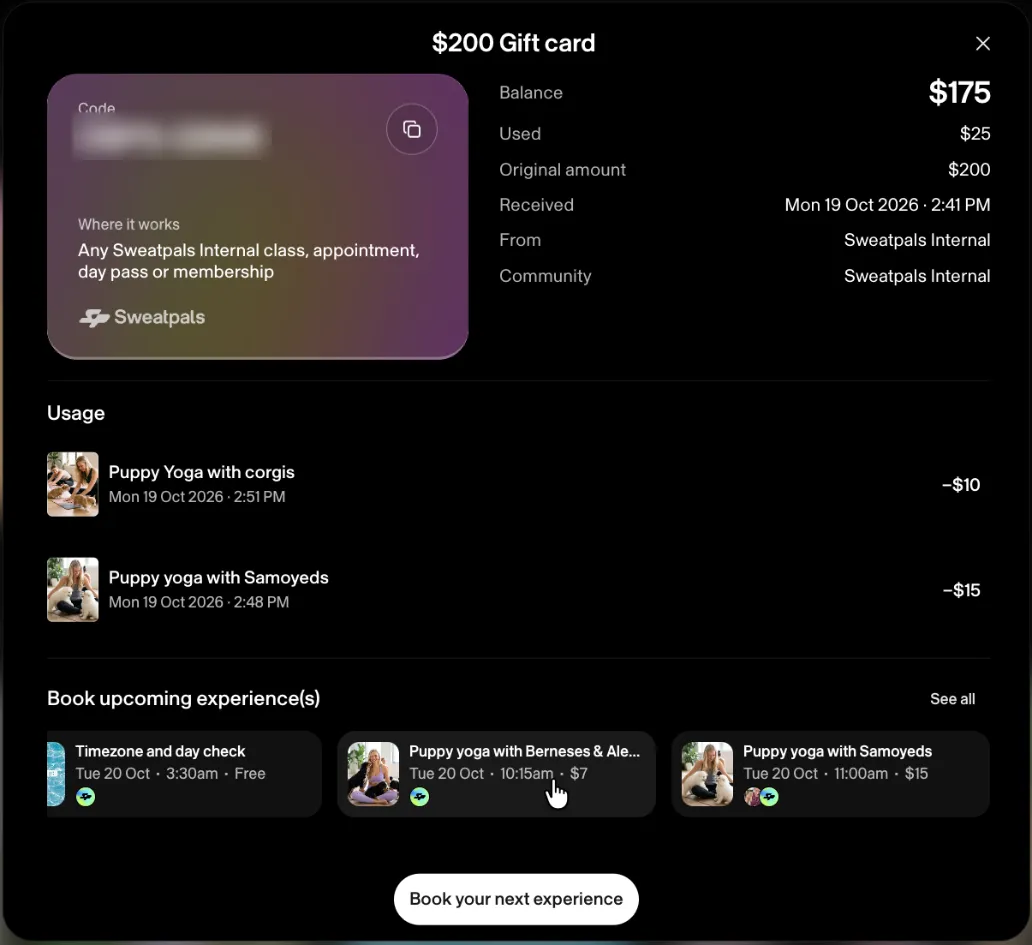
Click a gift card to open its details:
Section | What You'll See |
|---|---|
Code | Your full gift card code, with a copy button |
Where it works | What you can use the card on, for example any class, appointment, day pass or membership from that community |
Balance summary | Balance, Used, Original amount, Received date, From and Community |
Usage | Every purchase paid with the card: experience name, date and time, and amount |
Book upcoming experience(s) | Upcoming experiences from that community, with date, time and price. Click See all for the full list |
Book your next experience | Takes you to the community page to book |
Using Your Balance
- Book an experience from the community that issued your gift card.
- At checkout, your gift card balance is applied automatically. You don't need to type the code.
- After your purchase, your balance and usage history update on your gift cards page.
⚠️ Gift cards can only be used with the community (or network) that issued them.
Your code is always there to copy if you need it, for example when you contact support.
FAQ
I don't see my gift card. What should I do?
Check that you're logged in with the email address the gift card was sent to. If it still doesn't show, contact Sweatpals Support with your gift card code and the email it was sent to, and we'll look into it.
Does my gift card expire?
It depends on the community that issued it. Each host sets their own gift card rules, and some gift cards don't expire. Gift cards that are fully used or expired no longer appear in your list.
Can I see my gift cards in the mobile app?
You can buy gift cards in the app, but for now your balance and usage history are available on the web at attendee.sweatpals.com.