🤖 9.8 Sweatpals AI
Overview
Sweatpals AI is an assistant built into your dashboard. Ask it in plain words to handle front desk work, sales, bookings and member admin, and it takes care of it for you. It's in Beta, so it keeps learning new things.
Opening Sweatpals AI
- In your dashboard, select Sweatpals AI at the top right
- The Sweatpals AI panel opens on the right side of the page. Type what you need, or pick one of the suggestions, like What's on the schedule this week? or What can you do?
- Press Enter to send
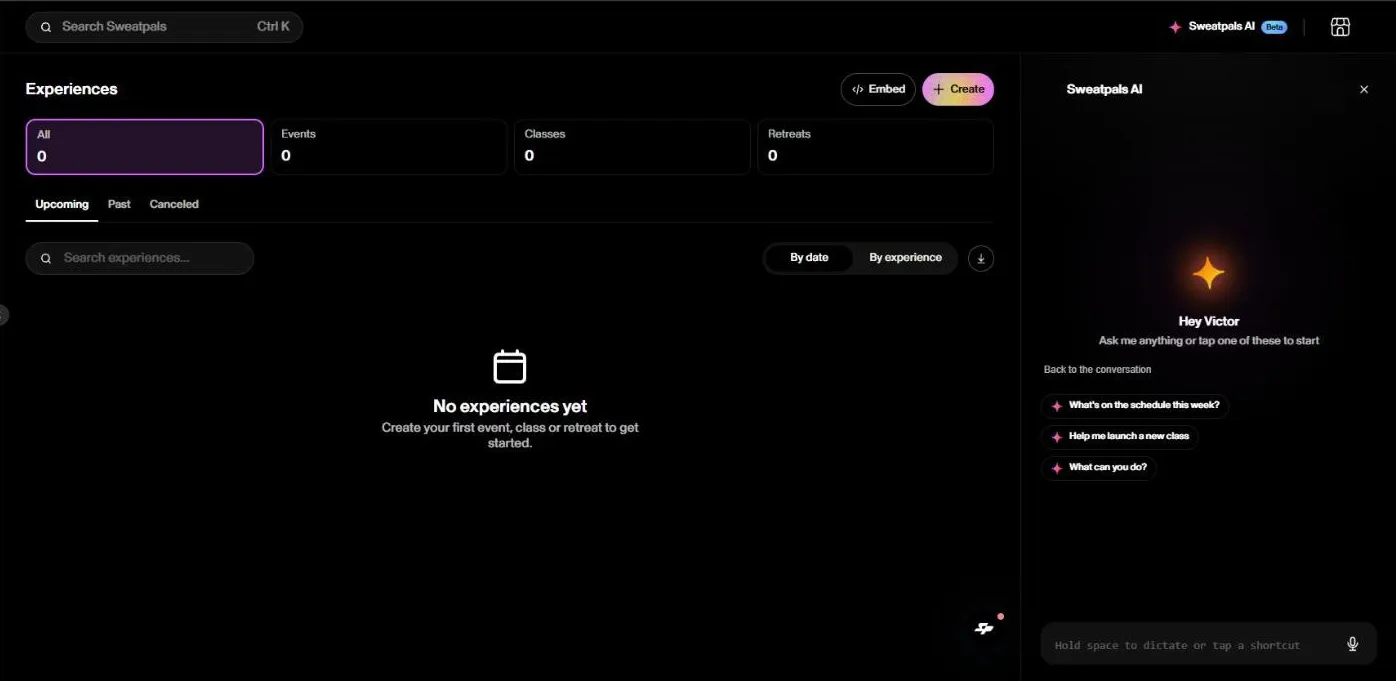
Select Home at the top of the panel to start a new request, or the X to close it.
Shortcuts and voice
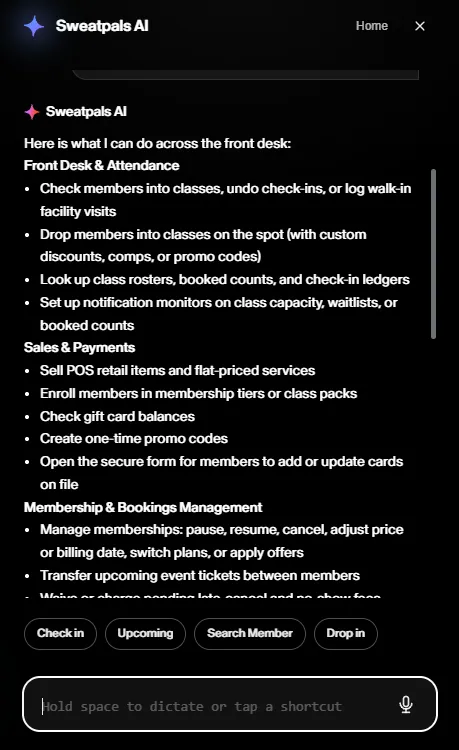
- Once you start a conversation, shortcuts show up above the message box, like Check in, Upcoming, Search Member and Drop in. They change depending on the page you're on
- To dictate instead of typing, hold the Space bar while you talk, or select the microphone icon in the message box
What Sweatpals AI Can Do
Front desk and attendance
- Check members into classes, undo a check-in or log a walk-in visit
- Drop a member into a class on the spot, with a custom discount, comp or promo code
- Look up class rosters, booked counts and check-ins
- Let you know when a class fills up, gets a waitlist or reaches a number of bookings
Sales and payments
- Sell POS items and flat-priced services
- Sign members up for a membership or class pack
- Check a gift card balance
- Create one-time promo codes
- Send a member the secure form to add or update their card on file
Plans and bookings
- Pause, resume or cancel a plan, change its price or billing date, switch plans or apply an offer
- Transfer an upcoming ticket to another member
- Waive or charge pending late cancellation and no-show fees
- Book or reschedule 1:1 appointments and show open slots
- Refund settled orders in full
Member communication and admin
- Text or email one member or everyone booked in a class
- Send profile update links and resend receipts, waivers or intake forms
- Add admin notes to a member's profile
- Pull insights about your community and build reports with charts and tables
- Take you to the right page in your dashboard, walk you through a setup and fill in a new event form for you to review
Example Requests
- "Check in Sarah Mitchell to the 6 PM class"
- "Reschedule Sarah's Friday massage to Saturday at the same time"
- "Pause Jordan's membership until December 1"
- "Who's booked in tomorrow's 7 AM class?"
- "Help me launch a new class"
The more specific you are (full name, class, date and time), the faster it gets it right.
Before Anything Changes
Before Sweatpals AI charges, cancels, refunds, books or sends a message, it shows you a summary with Confirm and Cancel buttons. Nothing happens until you confirm, so take a second to check the member, the amount and the date. Texts and emails can't be unsent once they go out.
What It Can't Do Yet
- Sell day passes at the front desk. Members buy day passes online
- Take card numbers in the chat. To add or update a card, it sends the member a secure form
- Pick the payment method for you. You choose it at checkout
- Edit or delete an admin note once it's added
- Unsend a text or email
Need help with something it can't do? Reach out to us from the chat in your dashboard. For more, see 10.2 Getting Help10.2 Getting Help.
Related Articles
- 9.3 Beta Features9.3 Beta Features
- 6.8 Check-In on Web6.8 Check-In on Web
- 6.5 Point of Sale (POS) on Desktop6.5 Point of Sale (POS) on Desktop
- 3.6 1:1 Appointments3.6 1:1 Appointments
- 5.3 Managing Active Members5.3 Managing Active Members